Custom plugins
Your business logic as a clean, maintainable plugin: custom post types, admin screens, REST API endpoints, WP-CLI commands and scheduled tasks.
Custom plugins, themes and WooCommerce stores, built like real software instead of stacked from 40 plugins.
WordPress sites rarely break because of WordPress itself. They break under a pile of general-purpose plugins that each do 10% of what the business needs, conflict with each other, slow every page down and get abandoned by their authors. At some point every new requirement means another plugin and another workaround.
I replace that pile with code written for your business: custom plugins and WooCommerce extensions that do exactly what you need, themes built from your design, and integrations with the payment, shipping and back-office systems you already use. You work with a senior PHP engineer who has been building on WordPress for years, not a theme installer.
Everything follows WordPress coding standards and uses hooks and filters instead of edits to core or third-party code, so your site keeps working after WordPress, WooCommerce and PHP updates, and another developer can pick it up later.
What you get
Your business logic as a clean, maintainable plugin: custom post types, admin screens, REST API endpoints, WP-CLI commands and scheduled tasks.
Custom product types, pricing and discount rules, checkout fields and steps, subscriptions, B2B features and reports that your team actually uses.
Pixel-accurate themes from your Figma design, block themes with theme.json and custom blocks, so editors can build pages without breaking the layout.
Payment gateways, shipping carriers, ERP, CRM and warehouse systems, plus product import and stock sync that handle failures and retries.
Core Web Vitals, object caching with Redis, slow query fixes, HPOS migration, safe updates and hardening, measured before and after.
Keep WordPress as the editors' CMS and serve a fast Next.js front end on top of the REST API, when speed or a custom interface justifies it.
Case studies
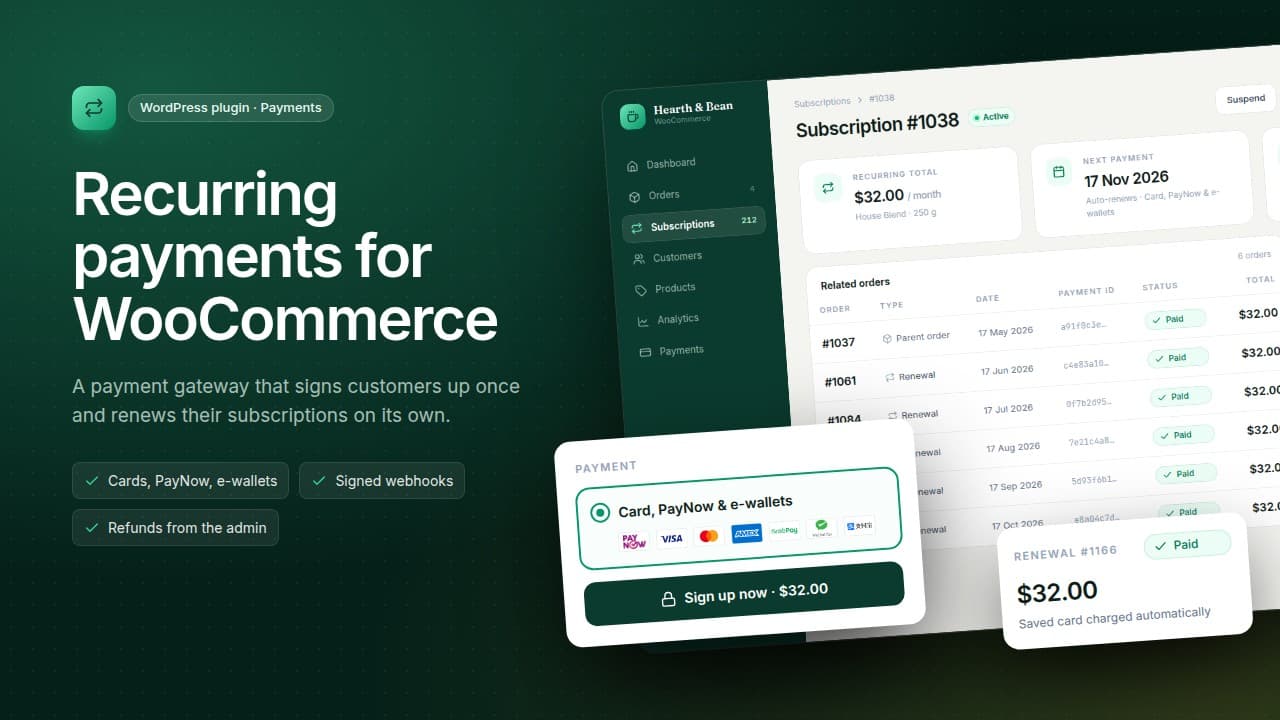
Payments · Singapore payment provider
Sign up once, renewals charged automatically
A WordPress plugin that connects WooCommerce and WooCommerce Subscriptions to a payment provider's API: one-off payments, subscriptions on a card saved by the provider, automatic renewals, signed webhooks and refunds from the order screen.
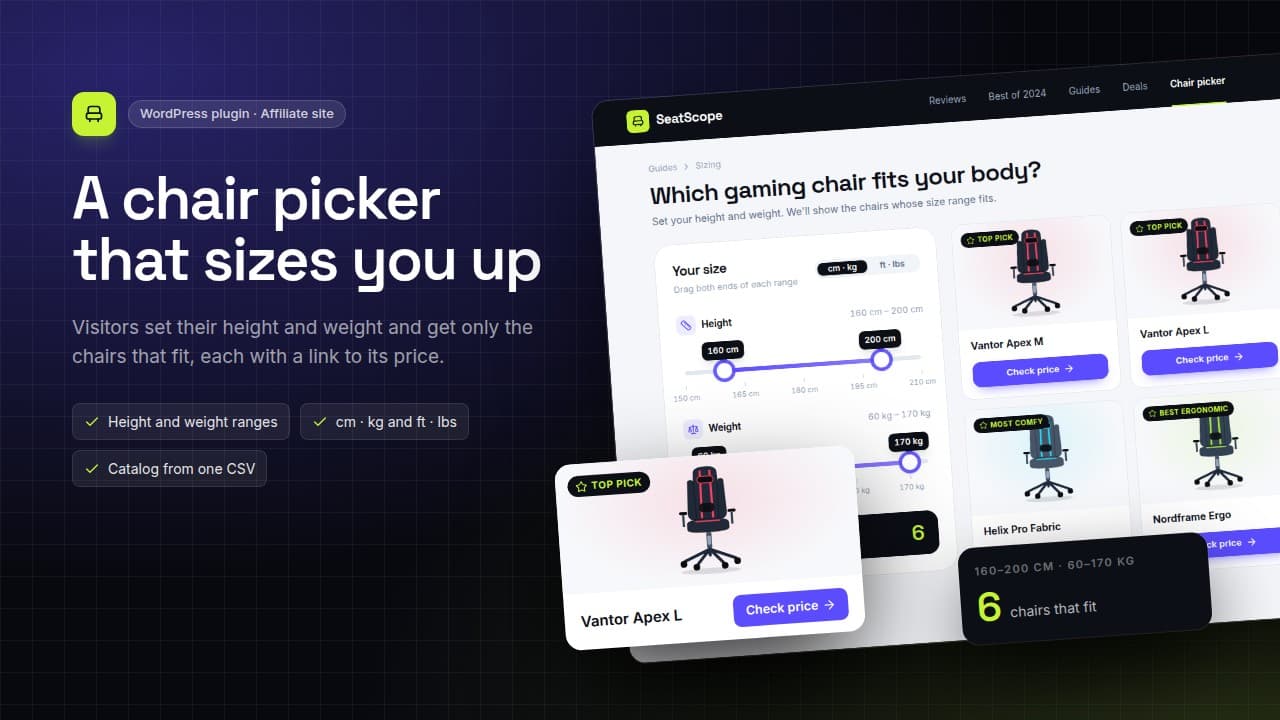
Affiliate marketing · Gaming chair review site
Live on a review site with 10k+ visitors a month
A shortcode tool for an affiliate review site: visitors set height and weight ranges on two sliders, in metric or imperial units, and get the chairs that fit with a link to the price. The editor updates the catalog by uploading a CSV.
FAQ
If a well-maintained plugin covers your needs, buy it, and I'll tell you so. Custom development makes sense when you'd otherwise combine several plugins with workarounds, or when the feature is part of what makes your business different.
Yes. I build on hooks and public APIs instead of modifying core or third-party plugins, follow WooCommerce compatibility requirements such as HPOS, and test against new releases.
Yes, most projects start that way. I review what's there, fix what's risky and extend it, rather than rebuilding the whole site.
Yes. I've been moving supplier catalogs into WooCommerce since 2014: products, categories, specs and images. Today I build importers on the WooCommerce REST API or WP-CLI, matched by SKU so a re-run updates products instead of duplicating them, with images going through the WordPress media library.
When you need an app-like interface, very fast pages or one content source for several front ends. For a typical marketing site or store, a well-built classic theme is simpler and cheaper.
Send a short brief and get an estimate within 24 hours. Not sure where to start? Begin with a code audit.